Bid tracking software that shows
your name, not ours.
Track every bid, invite vendors, and see your real win rate, under your own company name. Set up for you by a person. Try a working demo first, no signup.
What it does
Every screenshot on this page was taken from the public demo, which runs on sample data.
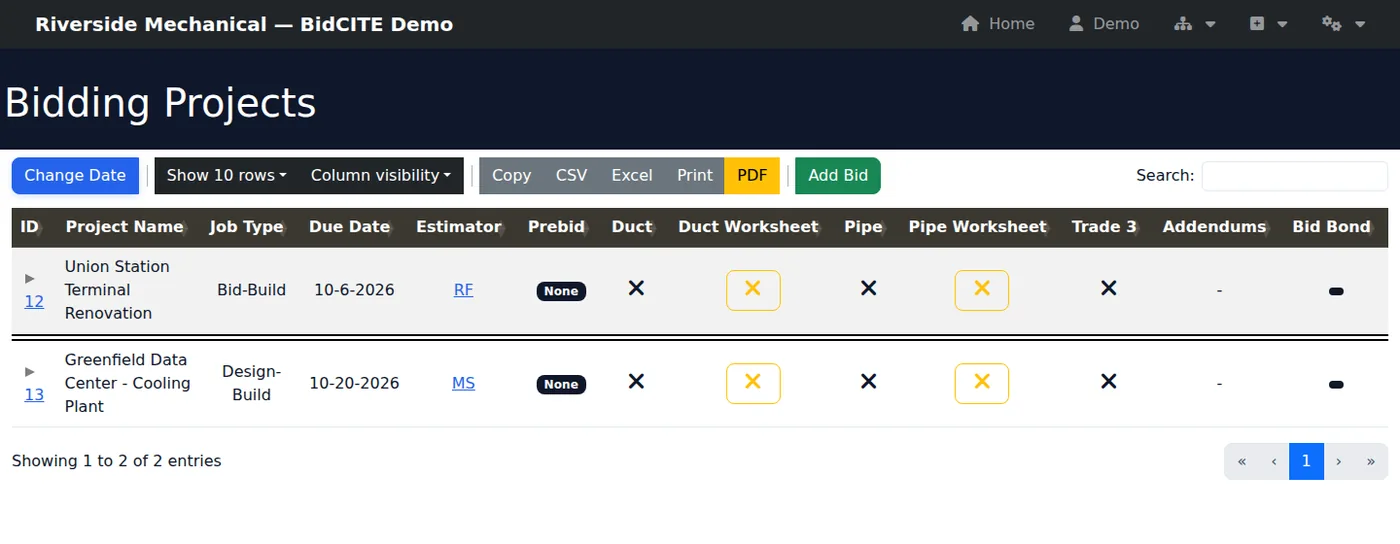
Every bid, every due date, in one list.
See what is due and who is estimating it, with columns for duct and pipe labor worksheets. Search the list, export it to CSV or Excel, and generate a Current Bid List as a PDF.
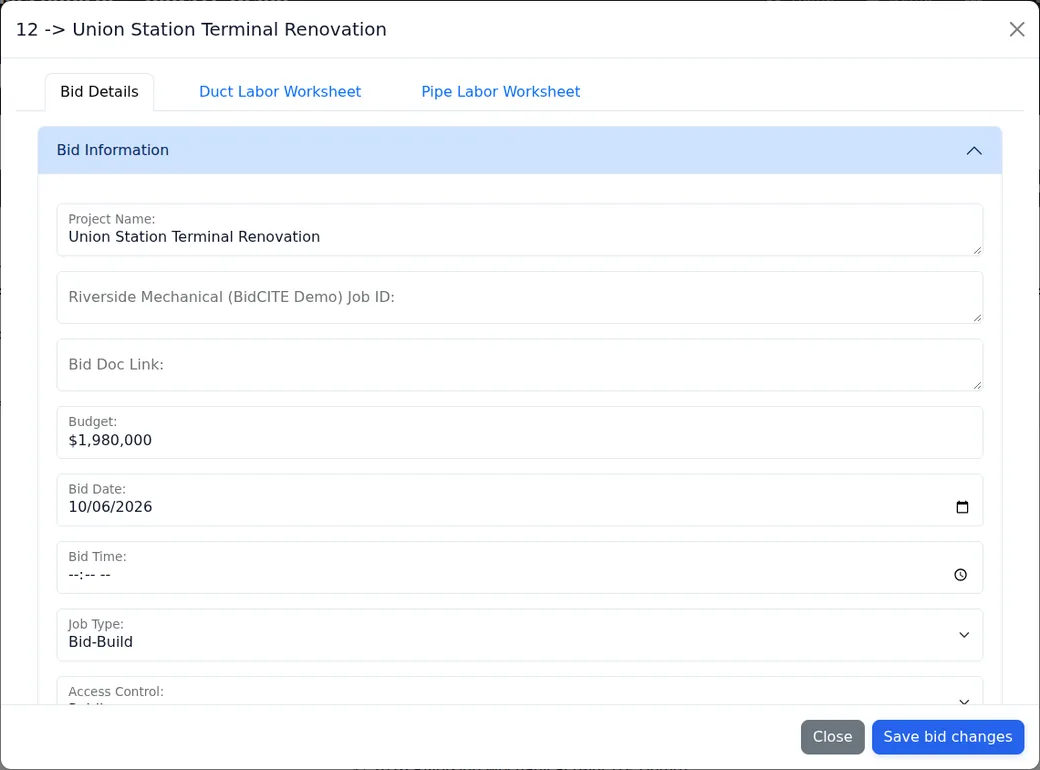
Know your win rate, and how much of it is missing.
See bids submitted, win rate, pipeline value and value won. The win rate counts only bids with a recorded outcome, and the dashboard tells you how many that is. A gap in your data shows as a gap, never as 0%.
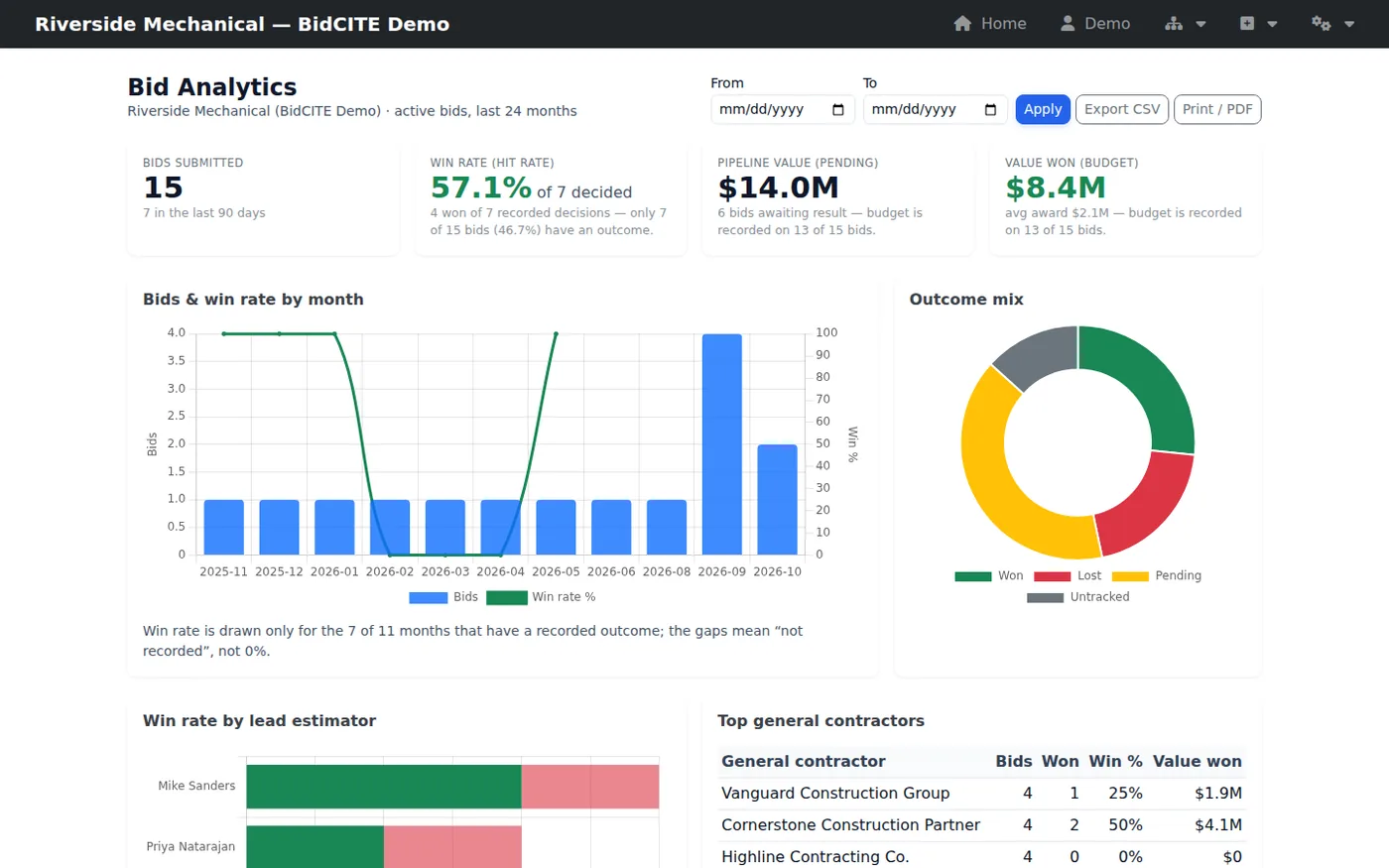
Invite vendors. See who clicked and who answered.
Send a bid invitation link by email. Each recipient gets their own link. The tracker shows what was sent, who clicked, and who said they will bid or decline.

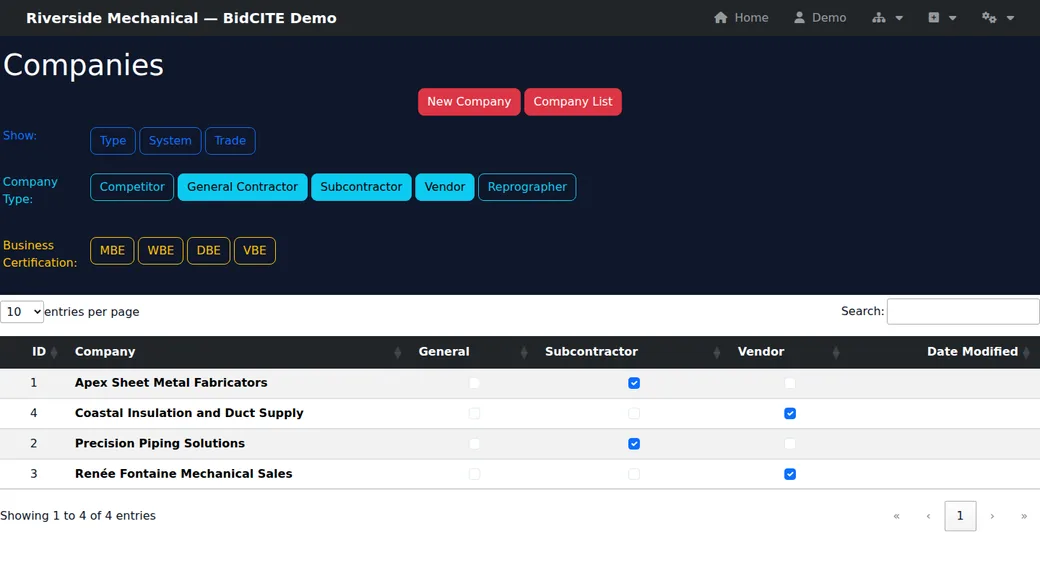
Your vendors, subs and general contractors in one directory.
Tag each company as a vendor, subcontractor, general contractor, competitor or reprographer. Filter by trade and system, and by MBE, WBE, DBE and VBE certification.
Duct and pipe sizing, in the same app.
Turn CFM into a duct size, convert round to rectangular, and size offsets and elbows. Size hydronic, refrigeration and natural gas pipe from flow.
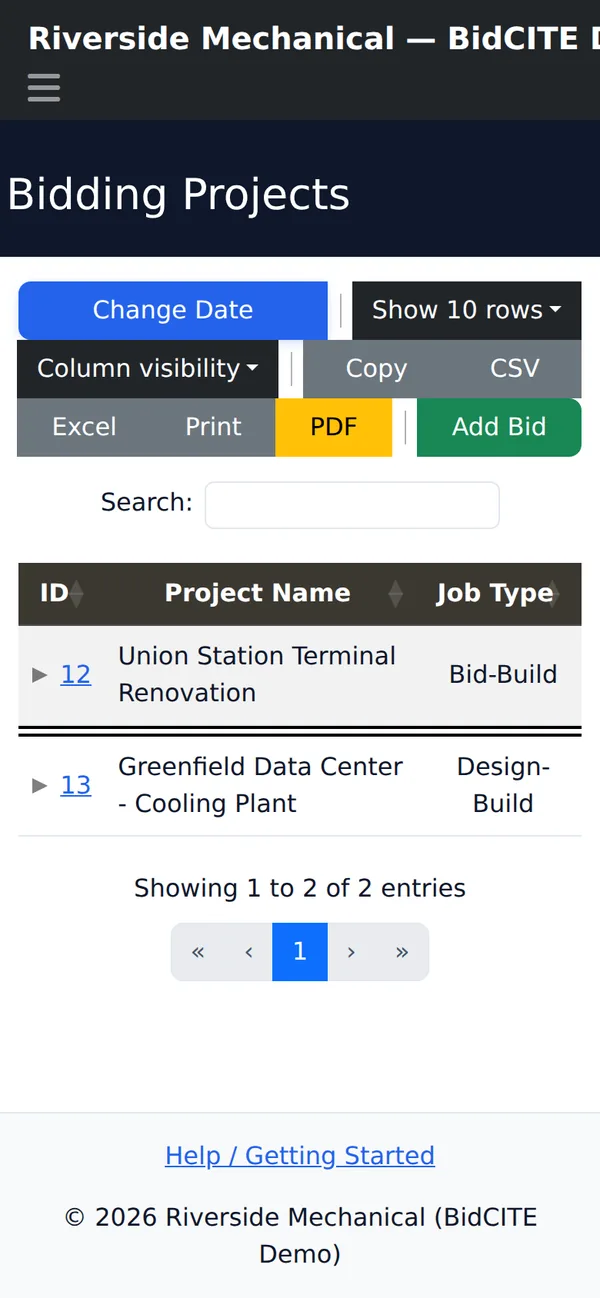
Opens in a phone browser.
The bid list at 390 px wide. The wide table shows only the first columns at a time on a small screen.
Your company's name. Not ours.
Your company name is set during setup. It shows in the app header, the browser title, the page footer, and on the invitation page your vendors open. A logo can be shown in the app header. We do not add a "powered by" line to the bid list, dashboard or footer. The demo runs as a fictional company called "Riverside Mechanical".
See it for yourself
This is a working copy of the product with sample data. The companies and people in it are fictional. Log in and click around.
The demo login is public on purpose. It can view and add bids and manage companies. It cannot open administration, settings, or some other pages, so a few screens will say you have no permission. The demo tenant is reset automatically every night, so anything you add is temporary.
How it works: we set it up for you, by hand
There is no self-serve signup and no payment on this website. A person sets up your company's copy of BidCITE, following a written runbook.
You email us
Tell us your trades, your company name and logo, who needs accounts, and who should get notification emails. You also choose whether your bid list is public or behind login.
We choose your address
Your company can run on its own domain name, on a subdomain of ours, or on a folder path. These differ in how well your browser session is kept apart from other companies on our platform. We explain the difference before you choose.
We build your copy
We create your own database and database login, your own configuration and keys, your web address and its HTTPS certificate. Then we set your branding, trade names and notification addresses.
We test it as an ordinary user
We check that the health page is green, that an ordinary staff account can sign in, open a bid and complete a bid workflow, and that a Current Bid List PDF is produced.
We hand it over
You tell us who to call when something breaks, and who in your company may add or remove users. We agree the list of accounts and what each person may see before we create them.
Setup is manual, so it is not instant. If you use your own domain name, DNS changes can add waiting time that we do not control.
Pricing
One plan with everything included. The price is per company, and flat within a band of seats.
BidCITE: everything included
- Vendor invitations with click and answer tracking
- Bid list export to CSV and Excel
- Meeting invite generator
- Bid tracking: create and edit bids, with status and won/lost results
- Company directory: vendors, subcontractors, general contractors and bidders
- Current Bid List worksheet and PDF
- Post-bid status and project-manager assignment †
- Duct and pipe labor worksheets on each bid †
- Duct and pipe sizing calculators
- Plan-room (reprographer) login list
- Live auto-refresh of the bid list †
- Bid analytics dashboard: win rate, pipeline value, value won
| Seats | Price |
|---|---|
| 1–5 seats | Price on request |
| 6–10 seats | Price on request |
| 11–20 seats | Price on request |
| 21 or more seats | Price on request |
Ask us how seats are counted for your company.
Ask for pricingThe price is per company, flat within a band. Everything in the plan is included in every band. A dagger (†) marks features the public demo login cannot open, so you cannot see them there; ask us for a walkthrough.
Security and hosting, plainly
What we do, what we do not do, and what shared hosting means for you.
Your own database and login
Your bid data lives in its own database, with its own database user, and no other company's login can become yours. Each company also has its own configuration file, kept outside the web folder, and its own encryption key.
What "shared hosting" means
Your files and databases are not separated at the operating-system level. Every company runs under one hosting account. Anyone who controls that account, whether us or an attacker who obtains it, can read every company's data.
We do not offer two-factor authentication on the hosting control panel today, because our host does not.
What is encrypted
- Plan-room and bid-document passwords you save in the app are encrypted in the database.
- Account passwords are stored as one-way hashes, never as plain text.
- Two-factor secrets are stored encrypted.
- Other bid data is protected by access control and by the separate database, not by field-level encryption.
- Every page is served over HTTPS.
Sign-in
Authenticator-app two-factor sign-in and passkeys are built into the app. They are off by default. We turn them on for your company at setup if you want them. Access to pages depends on each person's role, and you decide who gets which role.
Backups
A scheduled job backs up your databases every night. The backup tool seals each file with a public key. The private key is held off the hosting account, so the server can write a backup but cannot read it back.
What we do not claim
- We hold no SOC 2 or ISO 27001 certification.
- We do not offer an uptime guarantee.
- We do not offer separate hosting or a dedicated server per company.
To report a security problem, email support@fullytorquedapplications.com.
Questions
Can I try it before I talk to you?
Yes. The live demo above needs no signup. Its login is public and limited. It resets every night.
How do I get BidCITE for my company?
Email us. There is no self-serve signup and we do not take payment on this site. A person sets up your copy, as described under "How it works".
Is it only for mechanical contractors?
It was built around duct and pipe work. The three trade names on the bid list can be renamed, for example to Electrical and Plumbing, and unused ones hidden. The sizing calculators are for duct and pipe.
Where does my data live?
In your own database, on a hosting account we share with our other customers. Read "Security and hosting, plainly" above before you decide.
Do you offer two-factor sign-in?
Yes for the app: authenticator-app codes and passkeys, turned on per company at setup. No for our hosting control panel, because our host does not offer it.
Can I get my bid list out?
Yes. The bid list exports to CSV and Excel.
What does it cost?
One plan with everything included, priced per company by number of seats. We give the price for your band by email.
Do you have Terms and a Privacy Policy?
Terms and Privacy: available on request while final documents are being prepared. Email us and we will send what exists.
Questions before you start?
No forms. Email us at the address below.
support@fullytorquedapplications.com